

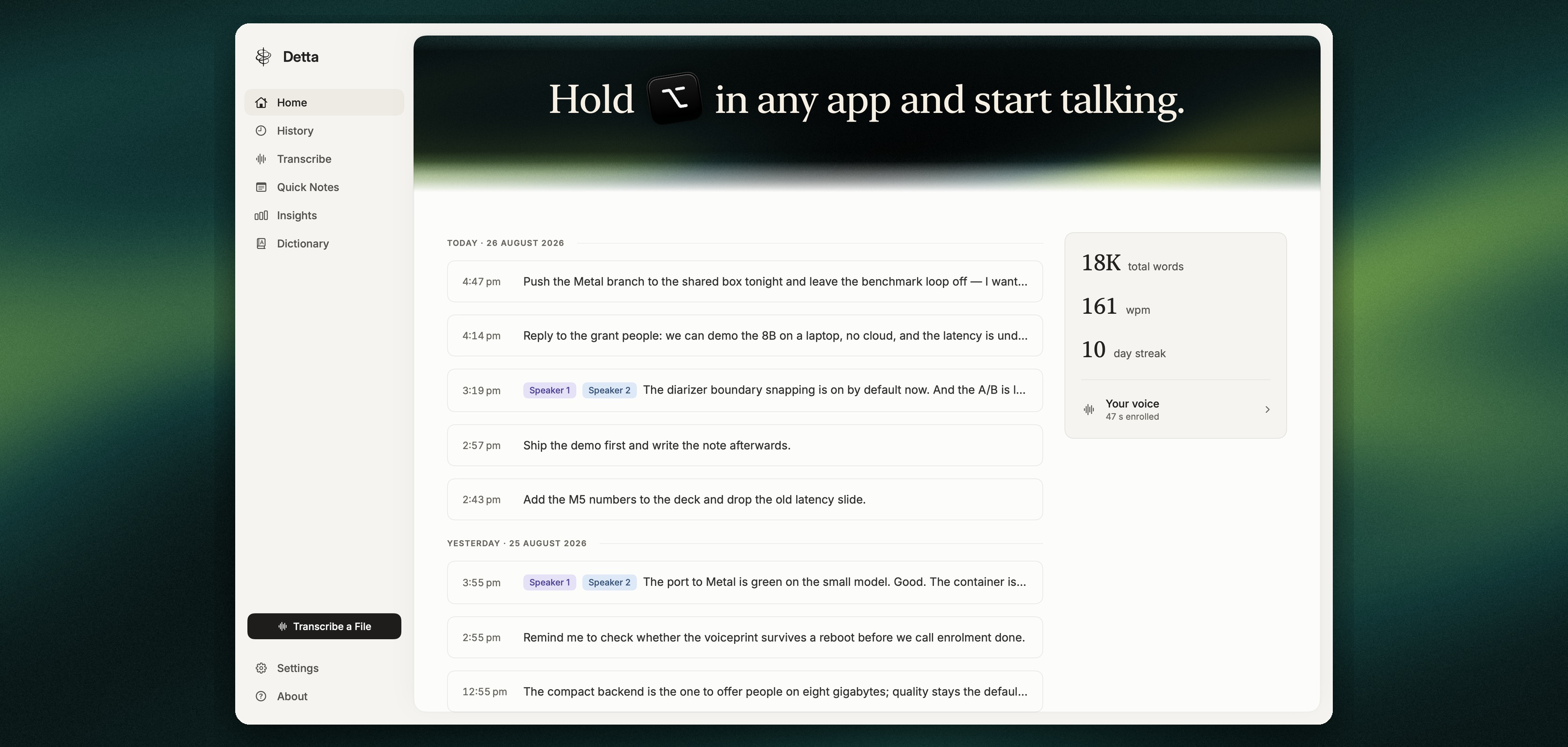
Today we are releasing Detta, a dictation app for the Mac built on Phonon-2, our open speech recognition model. Holding the dictation key opens the microphone, and the recognised text is written at the caret of whatever editor, browser or terminal is in focus, punctuated and capitalized, rather than into a separate transcription window. Recognition runs entirely on the Mac.
The model on the device
Detta ships with Phonon-2 inside the application, so there is no model to download. The model is 164 MB, averages 5.21 % word error on the Open ASR Leaderboard’s seven public test sets, and transcribes at 174 times realtime on an M5 MacBook Air, and Detta removes ums, repeated words and false starts after the user finishes speaking.
Dictation, notes and recordings
A held key dictates into the frontmost application. A third tap within the same gesture turns the session into a quick note, which is kept on the Mac with its recording instead of being typed anywhere. Transcribe a File, in the sidebar or by dropping a file onto the window, turns recordings in wav, mp3, m4a, aac, aiff, flac, ogg, mp4 or mov into text with the same model. A note can keep a screenshot of the main screen, taken once when the note starts. A single switch lets an AI agent running on the same Mac read the notes, including their recordings and screenshots, and turning the switch off closes that access.
Getting Detta
Detta is available for Apple silicon Macs running macOS 15 or later, free, and it checks for a new version every day and updates itself. Detta asks you to sign in with Google once, and shares your dictations, the recordings, their text and your home country, to improve Detta unless you turn sharing off in Settings. To delete what you have shared, email contact@fermionresearch.com.